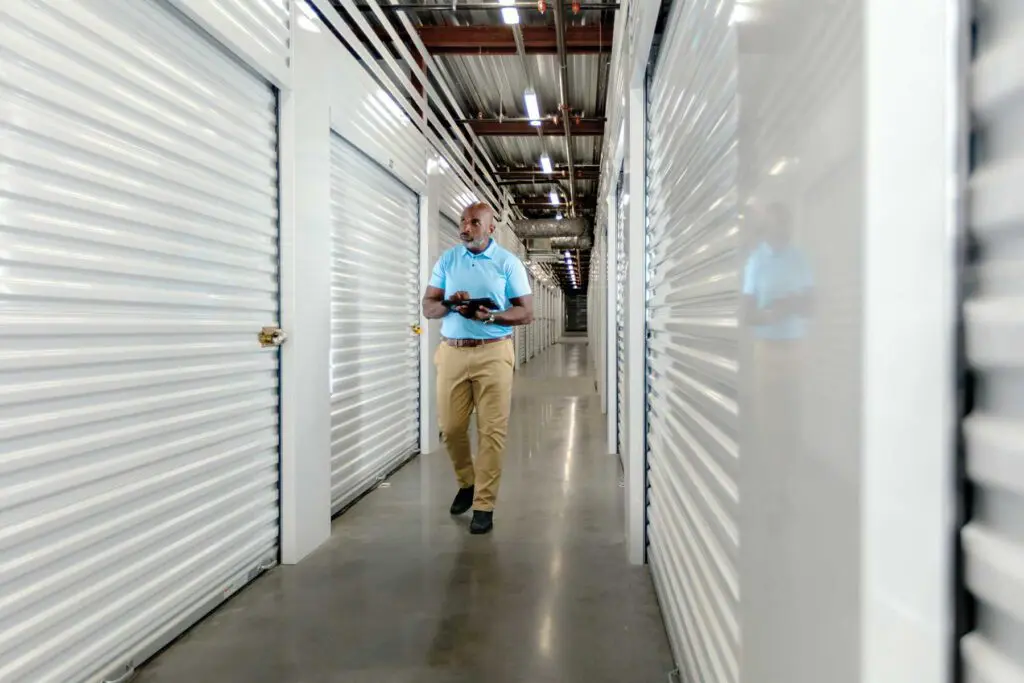

Property walks are an essential part of any self-storage operation, and for some managers they may even be the best part of the day. What many do not look forward to is heading back to the office to decipher handwritten notes and enter the same information into the computer all over again.
For Storable Edge users, that changes with Mobile Walkthrough, a new feature designed to give self-storage facility walks a more modern, mobile-first workflow.
What is Mobile Walkthrough?
Mobile Walkthrough delivers a structured walkthrough experience for facility staff, allowing them to add notes, take photos, and initiate unit workflows from a smartphone or tablet. Operators can also use built-in voice-to-text for easier notation in the field. Data is sent to Storable Edge in real time, helping teams avoid delays in updating unit information, creating maintenance requests, and re-entering details after returning to the office.
This approach helps self-storage operators work more efficiently and complete inspections with greater speed, accuracy, and consistency. Operators can move faster, reduce paper clutter, improve accuracy, and create a real-time digital record while completing unit verification and other day-to-day tasks. Mobile Walkthrough is now included for all Storable Edge users at no additional cost.
Mobile Walkthrough vs Manual Process
For many operators, the biggest challenge with a traditional property walk is not the walk itself. It is everything that comes after. Printing reports, writing notes by hand, and then returning to the office to re-enter the same information takes time, creates opportunities for missed details, and slows down follow-up.
Mobile Walkthrough simplifies that process by letting teams document what they see and take action in real time from the field. Instead of managing paper notes and delayed updates, staff can use their phone or tablet to add notes, snap photos, use voice-to-text, and process unit actions on the spot. That means less double entry, faster follow-up, and better visibility into what is happening across the property.
| Manual Process | Mobile Walkthrough |
|---|---|
| Print reports before starting a walk | Start a walkthrough from a phone or tablet |
| Write notes by hand and organize them later | Add notes in real time while inspecting units |
| Take separate photos and match them up later | Capture photos directly during the walkthrough |
| Return to the office to type in updates | Send updates to Storable Edge in real time from the field |
| Delay maintenance follow-up until after the walk | Create tasks and flag issues immediately |
| Rely on memory or handwritten notes for context | Use notes, photos, and voice-to-text for clearer documentation |
| Risk inconsistent processes between team members | Follow a more structured, repeatable workflow |
| Spend more time on admin work after the inspection | Keep work moving without the extra back-office step |
Because the workflow is built for real-world facility operations, Mobile Walkthrough gives teams a more practical way to handle inspections, stay current in Storable Edge, and keep the day moving without unnecessary extra steps compared to manual methods.
Higher Quality Walkthroughs = Better Maintained Facilities
Walkthroughs are about much more than checking a box on a to-do list. Done well, they help operators maintain better visibility into facility conditions, verify unit status more accurately, and catch small issues before they turn into larger problems. They also create a more reliable record of what is happening across the property, which is especially important when multiple team members are responsible for follow-up.
That is where Mobile Walkthrough adds real value—not just by saving time, but by improving inspection quality. Instead of relying on memory or rushed handwritten notes, staff can capture details as they see them. During a routine inspection, that might mean documenting an overlock on a delinquent unit, noting that a unit appears vacated but still contains items, snapping a photo of damage around a door, or flagging debris and cleanliness issues that need attention. It could also mean spotting a maintenance concern and immediately creating a follow-up task before moving on to the next unit.
Capturing those details in the app while standing at the unit helps improve the overall quality of the inspection. Notes, photos, and voice-to-text make it easier to be thorough, while real-time updates to Storable Edge help ensure nothing gets lost between the walk and the return to the office. The result is a more accurate record, faster follow-up, and a more consistent inspection process from one walkthrough to the next.
A Smarter Way to Walk Your Property
Mobile Walkthrough gives operators a simpler way to stay on top of facility activity without adding more paperwork or extra steps to the day. By making it easier to document details in the moment, take action from the field, and keep Storable Edge current in real time, teams can stay more organized and work with greater accuracy from one inspection to the next.
For current Edge users, now is a great time to try the mobile experience and see how much easier property walks can be. And for operators looking for a more streamlined way to manage daily workflows, switching to Storable Edge means getting access to Mobile Walkthrough along with an all-in-one platform built for self-storage operations.